Guide · Operation and settings
Ispire Wand settings: DynaVap, Tempest and concentrates need different approaches
First choose which device or insert you want to heat. The display number cannot be read as a universal temperature inside the plant material. A DynaVap cap, Tempest head and concentrate insert each need the appropriate procedure.
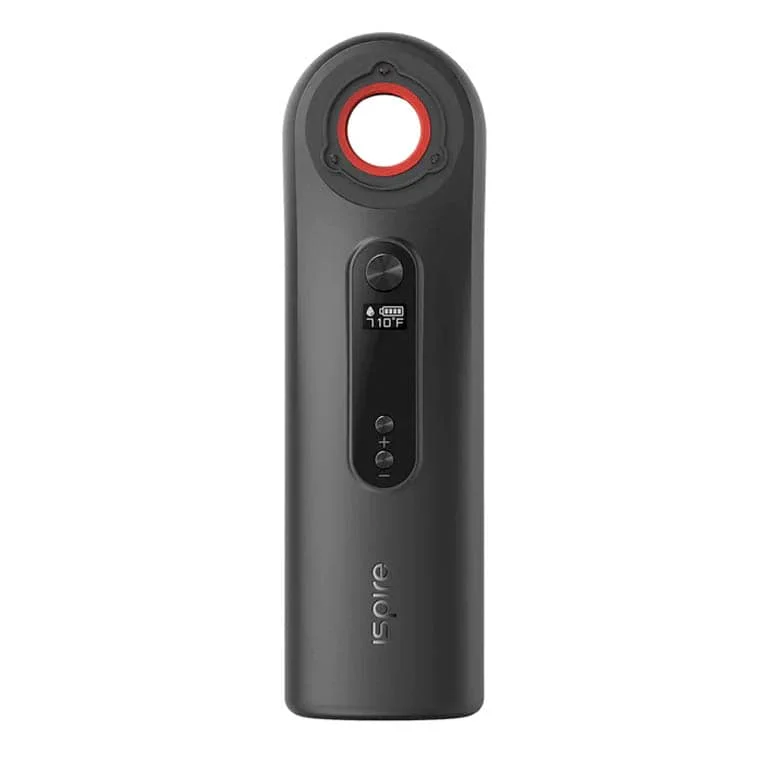
Your application determines the settings
| Application | What to follow |
|---|---|
| DynaVap | The appropriate adapter and instructions for your cap; listen for the click in the documented standard procedure. |
| Tempest 2 | Adapter version, position, ball material and the Tempest manual. |
| Concentrates | The appropriate Wand insert and the instructions supplied with the kit. |
A table of supposedly optimal temperatures for every model would hide differences in adapters, caps and applications. Record your own setup instead so you can trace the effect of changes.
For DynaVap too, the manufacturer describes the display as a heating timeout, not a measured temperature inside the material. The Wand troubleshooting guide explains this distinction.
Getting started with DynaVap
- Check compatibility.
Check the cap, model and adapter against the relevant manufacturer’s specifications. The standard models documented there do not amount to a blanket promise for every later model.
- Switch on the Wand and choose a mode.
DynaVap describes five presses of the FIRE button to turn it on and two to activate automatic mode.
- Listen for the click yourself.
DynaVap’s instructions guide the user up to the audible click. Do not rely on the Wand detecting it and automatically stopping as a result. End heating contact according to the instructions for your cap. Wait for the cooling signal before reheating and observe any additional model-specific waiting times.
The general heating instructions distinguish heating and cooling clicks. HyperDyn has its own handling and cooling instructions. The standard Cap and Hyper Cap are different parts; the standard Cap product page explicitly excludes the Hyper Tip.
What does the display mean with Tempest?
MAD Heaters describes the Wand setting with Tempest as a timer. Use the procedure for your adapter version and ball material. The Tempest 2 manual explains several procedures; their stopping points must not be mixed up.
If you already own a Wand, check that specific combination first. Changing heaters only makes sense when you miss a particular function or your existing combination does not fit.
Check the kit, concentrate inserts and batteries
The kit offered by DynaVap includes an adapter and both a straight and an angled 14 mm banger. Other offers may contain different parts. Check the package contents before buying additional glass or adapters.
For concentrate inserts, follow the corresponding Wand instructions; settings from a DynaVap guide are not a general prescription for them. Replacement batteries must also meet the device’s full requirements. The label “18650” alone does not establish compatibility.
If results vary
- Heating ends earlier than expected: Check the mode, display and instructions for your insert before simply turning the setting up.
- The result changes: Compare battery charge, starting temperature and adapter position with your last usable attempt.
- A part does not fit: Do not force the connection. Check the model and adapter names on the specific listing.
For detection problems or uneven heating, check adapter position against the linked troubleshooting guide. DynaVap provides no user repair for broken glass inside the heating chamber; contact support.
Have a suitable rest ready and let glass parts cool before changing or cleaning them. Only clean parts with agents approved for those parts.
Frequently asked questions
Is there one universal setting for every DynaVap?
The reviewed manufacturer instructions do not provide a cross-model table for “flavour” or “clouds”. Use the instructions for your combination.
How many sessions does one charge provide?
We do not have a reliable universal figure for this article. Application, heating duration, battery condition and surroundings affect runtime.
Compare Wand offers and package contents →
Sources
- DynaVap: The Wand with Adaptor — operation and package contents
- MAD Heaters: Tempest 2 — use with Wand
This description is based on the documents listed above. We have not measured individual heating curves or battery runtimes ourselves for this article. Shop links may be affiliate links.