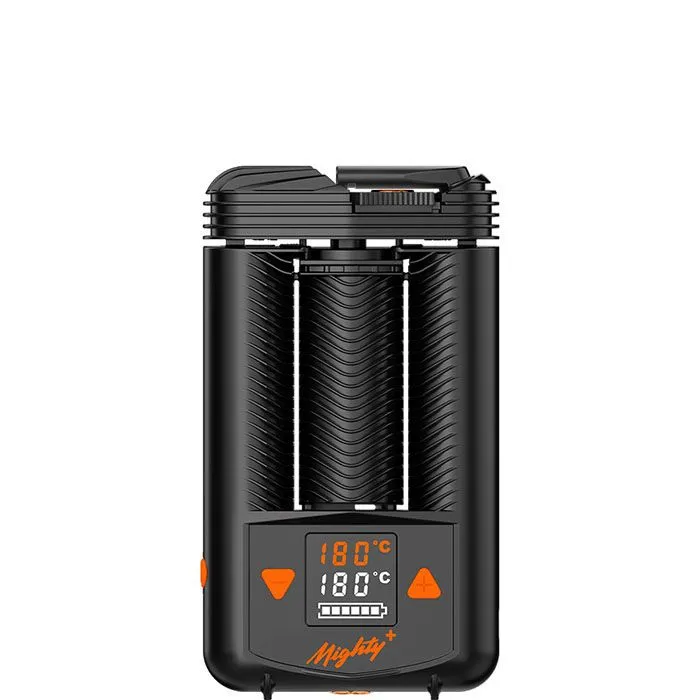
Storz & Bickel Mighty+: Troubleshooting & Error Messages
Pros
- Hybrid heating and cooling unit for dry herbs
- 40–210 °C adjustable directly on the device
- USB-C; 80 percent in about 40 minutes with a suitable Supercharger
- Dosing capsule included in the standard package
Cons
- Around 242 g and 14 cm tall
- Batteries not user-replaceable
- Supercharger and capsule magazine sold separately
- No app control
Current offers from our partner shops
 Visit shop
All prices come from automated shop queries. Some shop links are affiliate links.

Troubleshooting & Error Messages for the Mighty+. You can find the complete overview on the main page.
Troubleshooting & Error Messages
Short answer: On the MIGHTY+, ERR 001 and ERR 002 indicate that the battery temperature is too high or too low, ERR 003 indicates an unsuitable USB charger or USB-C cable, and ERR 004 indicates a defect. For ERR 004: turn off the device, disconnect it from the charger, and contact service. The Storz & Bickel help center additionally lists ERR 005 and “bl.” By contrast, “SLO” and “dct” are charging indicators, not error codes.
ERR 001 through ERR 005: meaning and remedy
| Indicator | Meaning according to the manufacturer | What you can do |
|---|---|---|
| ERR 001 | Battery too warm | Allow the device to cool |
| ERR 002 | Battery too cold | Move it to a warmer environment; do not warm it with a stove, microwave, or lighter |
| ERR 003 | USB charger or USB-C cable unsuitable | Use original accessories from Storz & Bickel |
| ERR 004 | Device defective | Turn it off immediately, disconnect the charging connection, and contact the Service Center; do not attempt repairs yourself |
| ERR 005 | Exhaled into the device | Do not blow into the vaporizer |
| bl | Firmware could not be verified | The help center requires a firmware update. Ask service about the appropriate procedure for the MIGHTY+; if an update repeatedly fails, contact service |
ERR 001 through ERR 004 appear in the MIGHTY+ instructions for use, version 09-2024, Chapter 9.1. ERR 005 and “bl” come from the combined MIGHTY+/VENTY table in the manufacturer's help center. It also lists the short forms e01 through e05. Codes starting with ERR 006 are not explained in these sources, so we do not state a specific cause for them.
ERR 003: USB-C instead of the old 12-V power adapter
For the old MIGHTY, ERR 003 refers to its 12-V power adapter. For the MIGHTY+, it concerns the USB charger and USB-C cable. Therefore, do not apply instructions for the old MIGHTY to the MIGHTY+. The manufacturer's instructions recommend original accessories; they do not support a diagnosis such as “battery defective” based solely on ERR 003. If the error persists despite suitable accessories, contact service.
ERR 004: Stop using the device
The instructions classify ERR 004 as a defect. They specify neither a particular component nor a repair trick. Turn off the device and disconnect it from the charger. Do not open it yourself. For the repair request, note the displayed code and whether it occurs while charging or during use.
SLO and dct: What the charging indicators mean
SLO on the second display line indicates a low-power charger according to the instructions. A more powerful, suitable charger is the intended remedy. By contrast, dct appears for three seconds after connection when the charger supports mains operation. The indicator confirms this function and does not require a repair.
For Supercharge and mains operation, the MIGHTY+ charging help center specifies USB-C Power Delivery with 15 V and 3 A, with 45 W recommended. With the Supercharger, approximately 80 percent charge in 40 minutes is possible. Not every USB-C power adapter automatically provides these functions.
If the MIGHTY+ does not turn on
First check the battery level and charge the device with suitable accessories. According to the instructions, you can alternatively bypass an empty battery by using mains operation with the USB-C Supercharger. If the device remains inoperative or displays a defect code, the next step is to submit a repair request to the manufacturer. An indicator alone does not prove specific component damage.
Sources: MIGHTY+ instructions for use, version 09-2024 (Chapters 6.2 and 9.1, German pages 17-18 and 34) · Manufacturer's help center: error codes and charging. Reviewed on October 2, 2026. This page evaluates manufacturer sources; it does not describe a MIGHTY+ defect case of our own.
Direct comparisons
Mighty+ Guides & Niches
No. The temperature and functions are set directly on the device.
By double-clicking or triple-clicking the on/off switch, respectively. With the factory settings, they are 15 and 30 °C above the base temperature, respectively. The plus button is not a boost switch.
The manufacturer's help center states about 60–70 seconds, depending on the battery level and surroundings. This is not our own measurement.
With a suitable USB-C PD Supercharger rated at 15 V/3 A, the manufacturer states approximately 40 minutes to reach 80 percent, not a full charge.
No, the two lithium-ion batteries are not user-replaceable. The manufacturer states 3300 mAh without clearly explaining here whether this is a combined figure or the capacity of each cell.
The official base package includes one dosing capsule. Storage containers for dosing capsules and additional capsules are separate accessories.
The instructions for use specify three minutes after the last button press or use.
Only the designated disassembled parts, for no more than half an hour. Only wipe the cap lock with the hologram; then rinse the parts and allow them to dry completely.
Comments
No comments yet. Be the first!
Sign in to comment